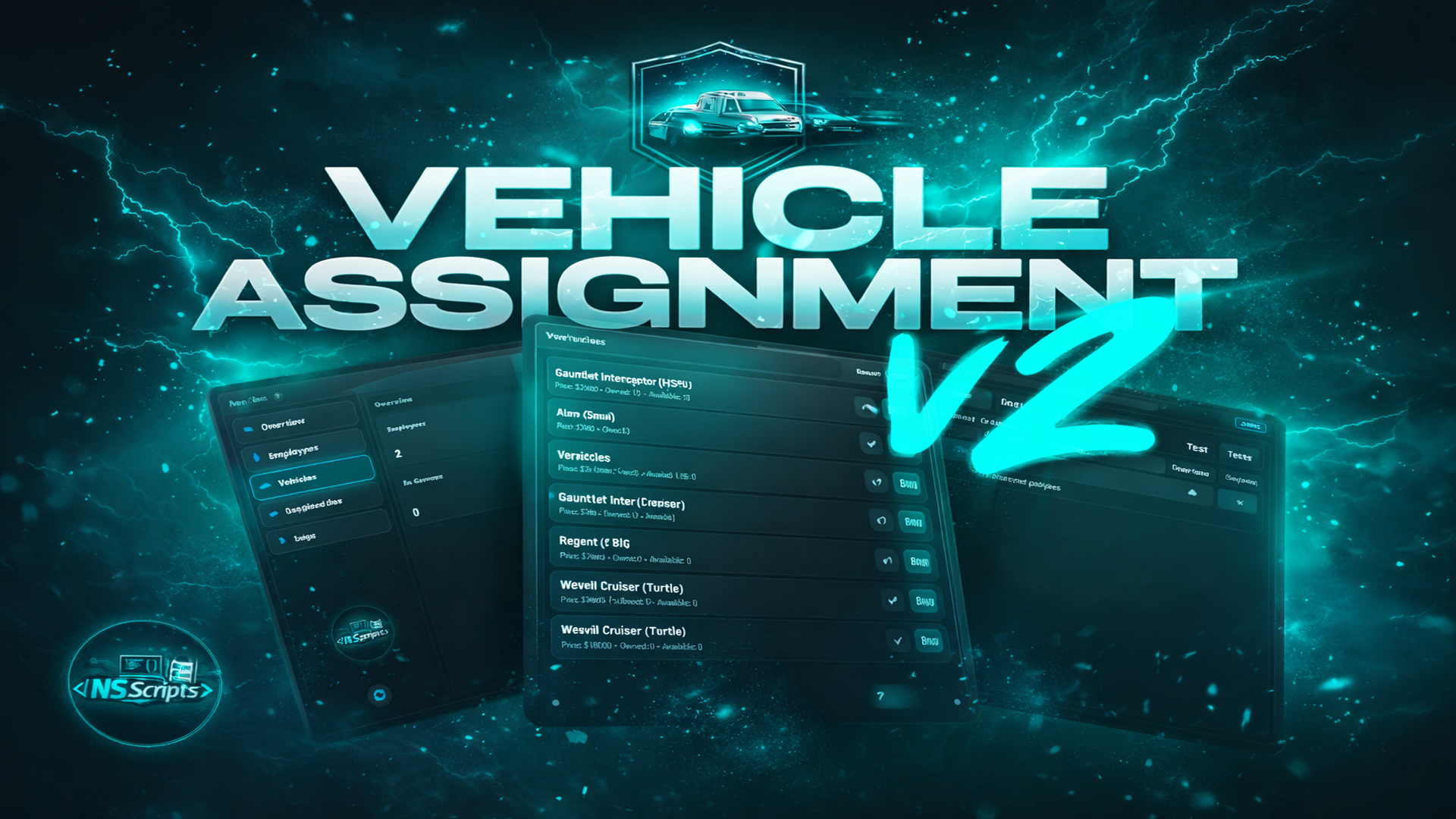
<div style="max-width:800px;margin:auto;font-family:'Segoe UI', Tahoma, sans-serif;color:#f5f7fa;line-height:1.6;"><h1 style="color:#ffffff;font-size:2.2rem;margin:0 0 15px 0;">Vehicle Assignment Script v2</h1><p style="font-size:1.1rem;color:#c3cfdd;margin:0 0 30px 0;">A lightweight and reliable in-game fleet management system built for job bosses. Assign, revoke, track and return vehicles for any department — police, EMS, mechanics, businesses, restaurants and more — with a clean UI and full control, entirely in-game.</p><hr style="border:none;border-top:1px solid #2f3b52;margin:30px 0;" /><h2 style="color:#00eaff;font-size:1.5rem;margin-bottom:20px;">Overview</h2><p style="font-size:1rem;color:#c3cfdd;margin-bottom:30px;">Vehicle Assignment Script v2 turns job vehicle control into a simple boss workflow. Bosses interact with a configured point (example: office PC) to open a modern UI where they can view assigned vehicles, check if they are currently out, and manage returns with cooldown protection.<br /><br />To assign a vehicle to an employee, the boss must first purchase that vehicle as an available unit. Only purchased vehicles can be assigned.</p><h2 style="color:#00eaff;font-size:1.5rem;margin-bottom:20px;">Key Capabilities</h2><div style="margin-bottom:40px;"><div style="background:rgba(11,16,25,0.6);padding:15px 20px;border-left:3px solid #00eaff;margin-bottom:15px;"><h3 style="color:#ffffff;margin:0 0 5px 0;font-size:1.1rem;">Boss UI Control Panel</h3><p style="color:#c3cfdd;margin:0;font-size:0.95rem;">Interact with a boss menu location (PC/desk/spot) and open a dedicated UI for fleet control. Clean workflow, zero database editing.</p></div><div style="background:rgba(11,16,25,0.6);padding:15px 20px;border-left:3px solid #00eaff;margin-bottom:15px;"><h3 style="color:#ffffff;margin:0 0 5px 0;font-size:1.1rem;">Vehicle Availability Requirement</h3><p style="color:#c3cfdd;margin:0;font-size:0.95rem;">Vehicles must be purchased in advance. Only available vehicle units can be assigned to employees.</p></div><div style="background:rgba(11,16,25,0.6);padding:15px 20px;border-left:3px solid #00eaff;margin-bottom:15px;"><h3 style="color:#ffffff;margin:0 0 5px 0;font-size:1.1rem;">Per-Job Configuration (Any Department)</h3><p style="color:#c3cfdd;margin:0;font-size:0.95rem;">Configure any job with its own label, boss role, minimum grade requirement, vehicle list, and dedicated boss menu location.</p></div><div style="background:rgba(11,16,25,0.6);padding:15px 20px;border-left:3px solid #00eaff;margin-bottom:15px;"><h3 style="color:#ffffff;margin:0 0 5px 0;font-size:1.1rem;">Multiple Garages & NPC Points</h3><p style="color:#c3cfdd;margin:0;font-size:0.95rem;">Add unlimited garage points per job: NPC interaction location, ped model, interaction distance, and multiple spawn positions.</p></div><div style="background:rgba(11,16,25,0.6);padding:15px 20px;border-left:3px solid #00eaff;margin-bottom:15px;"><h3 style="color:#ffffff;margin:0 0 5px 0;font-size:1.1rem;">Fleet Tracking & Status</h3><p style="color:#c3cfdd;margin:0;font-size:0.95rem;">See who has which vehicle and whether it is currently out. Bosses keep full visibility over the department fleet.</p></div><div style="background:rgba(11,16,25,0.6);padding:15px 20px;border-left:3px solid #00eaff;margin-bottom:15px;"><h3 style="color:#ffffff;margin:0 0 5px 0;font-size:1.1rem;">Return System (Personal & Boss)</h3><p style="color:#c3cfdd;margin:0;font-size:0.95rem;">Enable personal return for members, and boss return for leadership. Optional return cooldown included to prevent abuse.</p></div><div style="background:rgba(11,16,25,0.6);padding:15px 20px;border-left:3px solid #00eaff;margin-bottom:15px;"><h3 style="color:#ffffff;margin:0 0 5px 0;font-size:1.1rem;">Plate Generator & Vehicle Properties</h3><p style="color:#c3cfdd;margin:0;font-size:0.95rem;">Configurable plate prefix and digit length per job. Optional vehicle properties saving for consistent setups (extras / tuning).</p></div><div style="background:rgba(11,16,25,0.6);padding:15px 20px;border-left:3px solid #00eaff;"><h3 style="color:#ffffff;margin:0 0 5px 0;font-size:1.1rem;">Flexible Target & Integrations</h3><p style="color:#c3cfdd;margin:0;font-size:0.95rem;">Choose target type: qb-target / ox_target / draw markers. Built-in integration options for fuel, keys and notifications + Discord logging support.</p></div></div><div style="background:rgba(11,16,25,0.9);padding:20px;border:1px solid #2f3b52;"><h3 style="color:#ffffff;margin:0 0 15px 0;font-size:1.2rem;"><strong>Technical Requirements</strong></h3><div><div><span style="color:#00eaff;font-size:0.9rem;">FRAMEWORKS</span> <span style="color:#c3cfdd;">QBCore, ESX, QBox</span></div><div><span style="color:#00eaff;font-size:0.9rem;">DEPENDENCIES</span> <span style="color:#c3cfdd;">ox_lib</span></div><div><span style="color:#00eaff;font-size:0.9rem;">RECOMMENDED</span> <span style="color:#c3cfdd;">ox_target / qb-target (or draw markers)</span><br /><br /><span style="color:rgb(255,255,255);"><strong><span style="font-size:18px;">Supported scripts</span></strong></span></div><h2><span style="font-size:18px;color:rgb(9,220,220);">Society / Banking systems: </span></h2><ul><li><span style="font-size:12px;">qb-management/qbx_management</span></li><li><span style="font-size:12px;">qb-banking/qbx_banking</span></li><li><span style="font-size:12px;">Renewed-banking</span></li><li><span style="font-size:12px;">esx_addonaccount</span></li><li><span style="font-size:12px;">ns-banking</span></li><li><span style="font-size:12px;">nass_bossmenu</span></li><li><span style="font-size:12px;">kartik-banking</span></li><li><span style="font-size:12px;">fd_banking</span></li><li><span style="font-size:12px;">crm-banking</span></li><li><span style="font-size:12px;">okokBanking</span></li><li><span style="font-size:12px;">xrn-bossmenu</span></li><li><span style="font-size:12px;">wasabi_banking</span></li><li><span style="font-size:12px;">vms_bossmenu</span></li><li><span style="font-size:12px;">tgg-banking</span></li><li><span style="font-size:12px;">snipe-banking</span></li><li><span style="font-size:12px;">sd-multijob</span></li><li><span style="font-size:12px;">RxBanking</span></li><li><span style="font-size:12px;">qs-banking</span></li><li><span style="font-size:12px;">p_banking</span></li></ul><p><span style="font-size:12px;">Option that you can make it compatible with your banking/management script.</span><br /><br /><br /><br /><span style="color:rgb(9,220,220);"><strong><span style="font-size:18px;">Vehicle keys:</span></strong></span><br /><br /></p><ul><li><span style="font-size:12px;">qb-vehiclekeys</span></li><li><span style="font-size:12px;">qbx_vehiclekeys</span></li><li><span style="font-size:12px;">Renewed-Vehiclekeys</span></li><li><span style="font-size:12px;">wasabi_carlock</span></li><li><span style="font-size:12px;">ps-vehiclekeys</span></li><li><span style="font-size:12px;">ox_vehiclekeys</span></li><li><span style="font-size:12px;">cd_garage</span></li><li><span style="font-size:12px;">mVehicle</span></li><li><span style="font-size:12px;">tgiann-hotwire</span></li><li><span style="font-size:12px;">vehicles_keys</span></li><li><span style="font-size:12px;">velia_carkeys</span></li><li><span style="font-size:12px;">wx_carlock</span></li><li><span style="font-size:12px;">many others</span></li></ul><span style="font-size:12px;">Option that you can make it compatible with your keys script.</span><br /><br /><span style="font-size:18px;color:rgb(9,220,220);">Fuel System:</span><ul><li><span style="font-size:12px;">cdn-fuel</span></li><li><span style="font-size:12px;">LegacyFuel</span></li><li><span style="font-size:12px;">lj-fuel</span></li><li><span style="font-size:12px;">ps-fuel</span></li><li><span style="font-size:12px;">qb-fuel</span></li><li><span style="font-size:12px;">qs-fuelstations</span></li><li><span style="font-size:12px;">Renewed-Fuel</span></li><li><span style="font-size:12px;">TAM_Fuel</span></li><li><span style="font-size:12px;">x-fuel</span></li><li><span style="font-size:12px;">okokGasStation</span></li><li><span style="font-size:12px;">ox_fuel</span></li><li><span style="font-size:12px;">Other</span></li><li><span style="font-size:12px;">Option that you can make it compatible with your fuel system.<br /></span></li></ul></div></div><div style="text-align:center;"><br /></div></div>
Vehicle Assignment Script v2
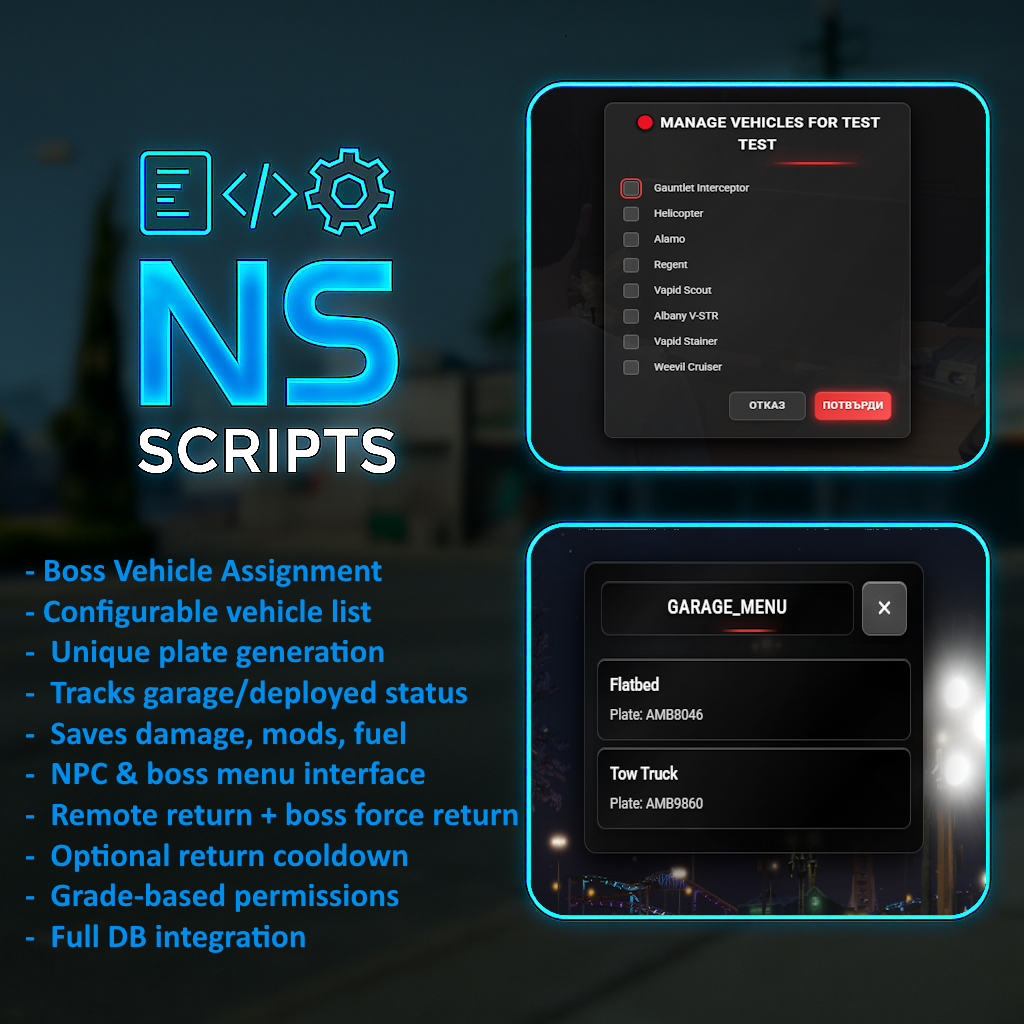
<div style="max-width:800px;margin:auto;font-family:'Segoe UI', Tahoma, sans-serif;color:#f5f7fa;line-height:1.6;"><h1 style="color:#ffffff;font-size:2rem;margin:0 0 10px 0;">NS-Garage Script</h1><p style="font-size:1.1rem;color:#c3cfdd;margin:0 0 25px 0;">A complete vehicle management system for <strong>QBCore</strong>, <strong>QBOX</strong>, and <strong>ESX</strong> servers. Designed for full fleet control with NPC support and boss menus.</p><hr style="border:none;border-top:1px solid #2f3b52;margin:25px 0;" /><h2 style="color:#00eaff;font-size:1.4rem;margin-bottom:20px;">Core Features</h2><ul style="list-style:none;padding:0;margin:0 0 30px 0;"><li style="margin-bottom:15px;padding-left:15px;border-left:3px solid #00eaff;"><span style="color:#c3cfdd;">Vehicle Assignment System – Bosses assign specific vehicles to workers.</span></li><li style="margin-bottom:15px;padding-left:15px;border-left:3px solid #00eaff;"><span style="color:#c3cfdd;">Configurable Vehicle List – Easily edit models in config.lua.</span></li><li style="margin-bottom:15px;padding-left:15px;border-left:3px solid #00eaff;"><span style="color:#c3cfdd;">Auto-generated Unique Plates – Custom formats for police/job plates.</span></li><li style="margin-bottom:15px;padding-left:15px;border-left:3px solid #00eaff;"><span style="color:#c3cfdd;">Vehicle Tracking – Monitor garage status and deployed units.</span></li><li style="margin-bottom:15px;padding-left:15px;border-left:3px solid #00eaff;"><span style="color:#c3cfdd;">Data Persistence – Saves modifications, damage, and fuel levels.</span></li><li style="margin-bottom:15px;padding-left:15px;border-left:3px solid #00eaff;"><span style="color:#c3cfdd;">NPC Interaction – Custom garage NPC locations.</span></li><li style="margin-bottom:15px;padding-left:15px;border-left:3px solid #00eaff;"><span style="color:#c3cfdd;">Target Support – ox_target, qb-target, or drawtext.</span></li><li style="margin-bottom:15px;padding-left:15px;border-left:3px solid #00eaff;"><span style="color:#c3cfdd;">Boss Controls – Force return or batch return functionality.</span></li></ul><h2 style="color:#00eaff;font-size:1.4rem;margin-bottom:20px;">User Roles & Permissions</h2><div style="margin-bottom:30px;color:#c3cfdd;"><p style="margin-bottom:10px;"><strong>Standard Worker:</strong> Request & return assigned vehicles; check personal list.</p><p style="margin-bottom:10px;"><strong>Boss / Leadership:</strong> Assign/remove vehicles, force return, access full management menu.</p></div><h2 style="color:#00eaff;font-size:1.4rem;margin-bottom:20px;">Configuration Options</h2><ul style="list-style:none;padding:0;margin:0 0 30px 0;"><li style="margin-bottom:10px;color:#c3cfdd;">• <strong>General:</strong> Debug mode, Multi-language (EN, ES, BG), Custom job roles.</li><li style="margin-bottom:10px;color:#c3cfdd;">• <strong>Visuals:</strong> Custom NPC models, Blips, Markers.</li><li style="margin-bottom:10px;color:#c3cfdd;">• <strong>Tech:</strong> Target choice, Fuel integration, Persistent data.</li><li style="margin-bottom:10px;color:#c3cfdd;">• <strong>Anti-Abuse:</strong> Return cooldowns, Grade-based permissions.</li></ul><h2 style="color:#00eaff;font-size:1.4rem;margin-bottom:20px;">How It Works</h2><ol style="color:#c3cfdd;margin-bottom:30px;padding-left:20px;line-height:1.6;"><li style="margin-bottom:8px;">Boss assigns a vehicle (e.g., Police Interceptor) to an employee.</li><li style="margin-bottom:8px;">Employee retrieves it from the NPC garage.</li><li style="margin-bottom:8px;">Vehicle is marked as "OUT" in the database.</li><li style="margin-bottom:8px;">Employee parks or returns it; modifications/fuel are saved.</li><li style="margin-bottom:8px;">Boss can force-return the vehicle if abandoned.</li></ol><hr style="border:none;border-top:1px solid #2f3b52;margin:30px 0;" /><div style="text-align:center;"><a href="https://discord.gg/gVMh5MfAWZ" style="color:#ffffff;text-decoration:none;font-weight:600;border:1px solid #00eaff;padding:12px 30px;font-size:1rem;background:rgba(0,234,255,0.1);" target="_blank" rel="noreferrer noopener"> Join our Discord </a></div></div>
Vehicle Assignment Script
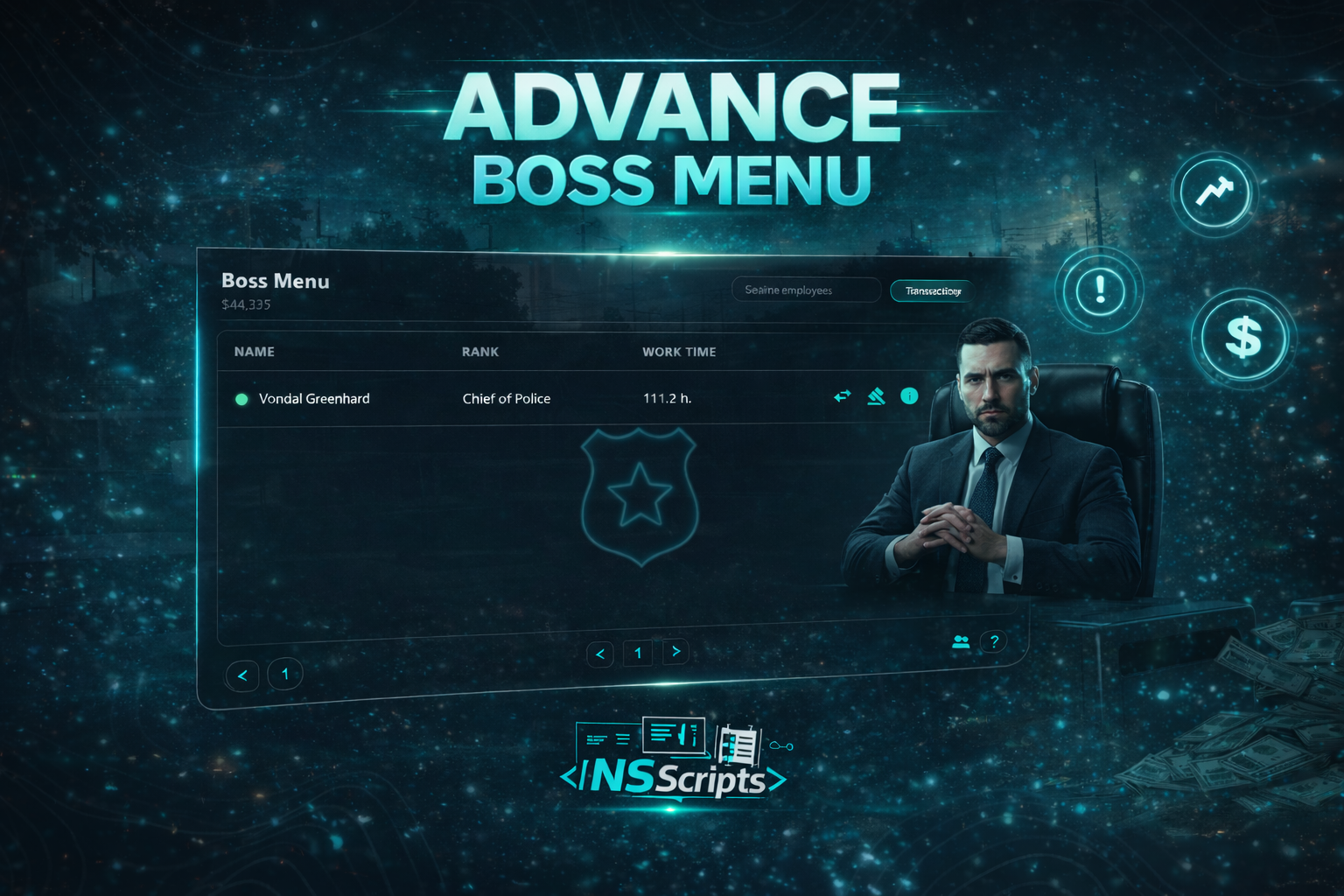
<div style="max-width:800px;margin:auto;font-family:'Segoe UI', Tahoma, sans-serif;color:#f5f7fa;line-height:1.6;"><h1 style="color:#ffffff;font-size:2.2rem;margin:0 0 15px 0;">Advance Boss Menu</h1><p style="font-size:1.1rem;color:#c3cfdd;margin:0 0 30px 0;">A modern boss management UI built for leadership. Hire, fire, track work time, view online/offline employees, and reward staff with money bonuses directly from the job account — fast, clean and fully in-game.</p><hr style="border:none;border-top:1px solid #2f3b52;margin:30px 0;" /><h2 style="color:#00eaff;font-size:1.5rem;margin-bottom:20px;">Overview</h2><p style="font-size:1rem;color:#c3cfdd;margin-bottom:30px;">Advance Boss Menu replaces outdated boss interactions with a clean, feature-complete UI designed for daily management. Bosses can quickly manage employees, monitor work time, filter by online status, and handle staff payouts through the job/society account. Everything happens in-game — no messy commands, no manual edits.</p><h2 style="color:#00eaff;font-size:1.5rem;margin-bottom:20px;">Key Capabilities</h2><div style="margin-bottom:40px;"><div style="background:rgba(11,16,25,0.6);padding:15px 20px;border-left:3px solid #00eaff;margin-bottom:15px;"><h3 style="color:#ffffff;margin:0 0 5px 0;font-size:1.1rem;">Hiring & Firing</h3><p style="color:#c3cfdd;margin:0;font-size:0.95rem;">Hire new employees and remove staff directly from the boss menu. Simple, fast, and role-based access controlled.</p></div><div style="background:rgba(11,16,25,0.6);padding:15px 20px;border-left:3px solid #00eaff;margin-bottom:15px;"><h3 style="color:#ffffff;margin:0 0 5px 0;font-size:1.1rem;">Work Time Tracking</h3><p style="color:#c3cfdd;margin:0;font-size:0.95rem;">Track employee work time directly in the UI. Great for performance oversight and leadership decisions.</p></div><div style="background:rgba(11,16,25,0.6);padding:15px 20px;border-left:3px solid #00eaff;margin-bottom:15px;"><h3 style="color:#ffffff;margin:0 0 5px 0;font-size:1.1rem;">Online / Offline Visibility</h3><p style="color:#c3cfdd;margin:0;font-size:0.95rem;">Instantly see who is online, and use quick filters (example: “Online only”) for faster actions.</p></div><div style="background:rgba(11,16,25,0.6);padding:15px 20px;border-left:3px solid #00eaff;margin-bottom:15px;"><h3 style="color:#ffffff;margin:0 0 5px 0;font-size:1.1rem;">Job Account Bonuses</h3><p style="color:#c3cfdd;margin:0;font-size:0.95rem;">Reward employees with money bonuses paid directly from the job/society account — perfect for incentives and staff motivation.</p></div><div style="background:rgba(11,16,25,0.6);padding:15px 20px;border-left:3px solid #00eaff;margin-bottom:15px;"><h3 style="color:#ffffff;margin:0 0 5px 0;font-size:1.1rem;">Transactions & History</h3><p style="color:#c3cfdd;margin:0;font-size:0.95rem;">Built-in “Transactions” view for cleaner control and transparency over payouts and actions.</p></div><div style="background:rgba(11,16,25,0.6);padding:15px 20px;border-left:3px solid #00eaff;"><h3 style="color:#ffffff;margin:0 0 5px 0;font-size:1.1rem;">Modern UI (Search & Quick Actions)</h3><p style="color:#c3cfdd;margin:0;font-size:0.95rem;">Search employees instantly, use quick action buttons, and manage staff without clutter. Designed to look premium and feel fast.</p></div></div><div style="background:rgba(11,16,25,0.9);padding:20px;border:1px solid #2f3b52;"><h3 style="color:#ffffff;margin:0 0 15px 0;font-size:1.2rem;">Technical Requirements</h3><div><div><span style="color:#00eaff;font-size:0.9rem;">FRAMEWORKS</span> <span style="color:#c3cfdd;">QBCore, ESX, QBox</span></div><div><span style="color:#00eaff;font-size:0.9rem;">DEPENDENCIES</span> <span style="color:#c3cfdd;">ox_lib, ox_inventory</span></div><div><span style="color:#00eaff;font-size:0.9rem;">JOB ACCOUNT</span> qb-<span style="color:#c3cfdd;">management or esx_society</span></div></div></div><div style="text-align:center;"><br /></div></div>
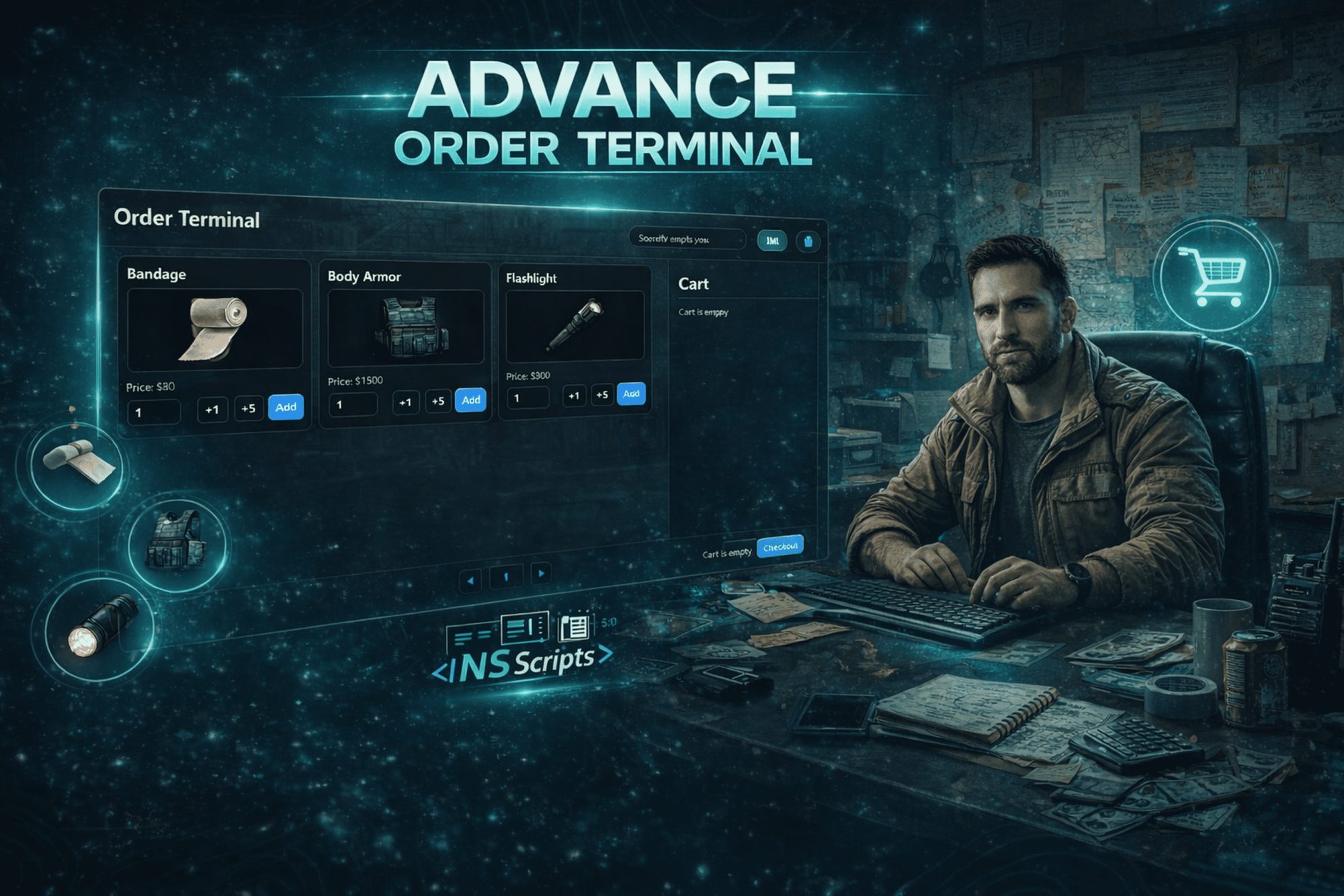
<div style="max-width:800px;margin:auto;font-family:'Segoe UI', Tahoma, sans-serif;color:#f5f7fa;line-height:1.6;"><h1 style="color:#ffffff;font-size:2.2rem;margin:0 0 15px 0;">Advanced Order Terminal</h1><p style="font-size:1.1rem;color:#c3cfdd;margin:0 0 30px 0;">A comprehensive, sleek supply ordering system for jobs and factions. Enhance your server's roleplay with a professional UI, shopping cart mechanics, dynamic pickup locations, and automated Discord logging.</p><hr style="border:none;border-top:1px solid #2f3b52;margin:30px 0;" /><h2 style="color:#00eaff;font-size:1.5rem;margin-bottom:20px;">Overview</h2><p style="font-size:1rem;color:#c3cfdd;margin-bottom:30px;">Replace basic item stashes with a modern shopping cart experience. This system provides a dynamic terminal for players to order supplies based on their job and rank. Featuring society fund integration, an interactive pickup system with minigames, and a unique boxed delivery mechanic—all while keeping administrators informed via real-time webhooks.</p><h2 style="color:#00eaff;font-size:1.5rem;margin-bottom:20px;">Key Capabilities</h2><div style="margin-bottom:40px;"><div style="background:rgba(11,16,25,0.6);padding:15px 20px;border-left:3px solid #00eaff;margin-bottom:15px;"><h3 style="color:#ffffff;margin:0 0 5px 0;font-size:1.1rem;">Elegant Shopping Cart UI</h3><p style="color:#c3cfdd;margin:0;font-size:0.95rem;">Features a modern, responsive interface with smooth transitions and glassmorphism design. Players can browse available job products, manage quantities, check item limits, and view total costs before checkout.</p></div><div style="background:rgba(11,16,25,0.6);padding:15px 20px;border-left:3px solid #00eaff;margin-bottom:15px;"><h3 style="color:#ffffff;margin:0 0 5px 0;font-size:1.1rem;">Interactive Deliveries & Minigames</h3><p style="color:#c3cfdd;margin:0;font-size:0.95rem;">Once an order is placed, a custom pickup location is generated with a GPS blip. Retrieving the order can optionally require completing engaging minigames and progress bar interactions.</p></div><div style="background:rgba(11,16,25,0.6);padding:15px 20px;border-left:3px solid #00eaff;margin-bottom:15px;"><h3 style="color:#ffffff;margin:0 0 5px 0;font-size:1.1rem;">Immersive Supply Box System</h3><p style="color:#c3cfdd;margin:0;font-size:0.95rem;">Enhance roleplay with physical supply boxes! Instead of items instantly appearing in pockets, players receive a physical box they carry with custom animations. The box can be unpacked later to retrieve the purchased items.</p></div><div style="background:rgba(11,16,25,0.6);padding:15px 20px;border-left:3px solid #00eaff;"><h3 style="color:#ffffff;margin:0 0 5px 0;font-size:1.1rem;">Advanced Payment & Security</h3><p style="color:#c3cfdd;margin:0;font-size:0.95rem;">Includes full society funds and personal bank integration. Access is strictly managed by job and rank, with robust server-side distance and exploit checks ensuring a secure economy.</p></div></div><h2 style="color:#00eaff;font-size:1.5rem;margin-bottom:20px;">Package Contents</h2><ul style="list-style:none;padding:0;margin:0 0 40px 0;"><li style="margin-bottom:12px;color:#c3cfdd;padding-left:15px;"><span style="color:#00eaff;">›</span> <strong>Inventory Compatibility:</strong> Auto-detects and fully supports <code>ox_inventory</code> and <code>qb-inventory</code>.</li><li style="margin-bottom:12px;color:#c3cfdd;padding-left:15px;"><span style="color:#00eaff;">›</span> <strong>Minigame Integrations:</strong> Pre-configured for ox, lation_ui, bl-ui, ps-ui, rm_minigames, and many more.</li><li style="margin-bottom:12px;color:#c3cfdd;padding-left:15px;"><span style="color:#00eaff;">›</span> <strong>Notification Support:</strong> Works perfectly with ox, qb, okok, mythic, t-notify, and pnotify.</li><li style="margin-bottom:12px;color:#c3cfdd;padding-left:15px;"><span style="color:#00eaff;">›</span> <strong>Highly Customizable:</strong> Easily define terminals, job permissions, products, limits, and dynamic target options.</li></ul><div style="background:rgba(11,16,25,0.9);padding:20px;border:1px solid #2f3b52;"><h3 style="color:#ffffff;margin:0 0 15px 0;font-size:1.2rem;">Technical Requirements</h3><div><div><span style="color:#00eaff;font-size:0.9rem;margin-bottom:5px;">FRAMEWORKS</span> <span style="color:#c3cfdd;">QBCore, ESX, Qbox</span></div><div><span style="color:#00eaff;font-size:0.9rem;margin-bottom:5px;">DEPENDENCIES</span> <span style="color:#c3cfdd;">ox_lib, ox_target</span></div></div></div><hr style="border:none;border-top:1px solid #2f3b52;margin:40px 0;" /><div style="text-align:center;"><a href="https://discord.gg/gVMh5MfAWZ" style="min-width:260px;text-align:center;color:#ffffff;text-decoration:none;font-weight:600;border:1px solid #00eaff;padding:12px 20px;font-size:1rem;background:rgba(0,234,255,0.05);" target="_blank" rel="noreferrer noopener"> Join Community Discord </a> <a href="#" style="min-width:260px;text-align:center;color:#ffffff;text-decoration:none;font-weight:600;border:1px solid #00eaff;padding:12px 20px;font-size:1rem;background:rgba(0,234,255,0.05);" target="_blank" rel="noreferrer noopener"> View Documentation </a></div></div>
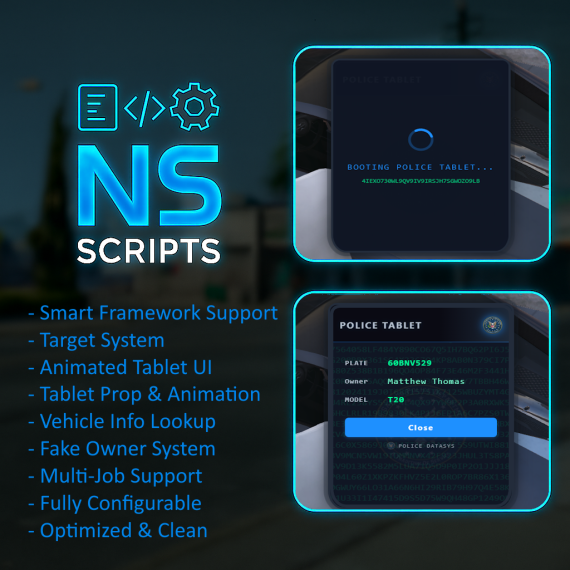
<div style="max-width:800px;margin:auto;font-family:'Segoe UI', Tahoma, sans-serif;color:#f5f7fa;line-height:1.6;"><h1 style="color:#ffffff;font-size:2rem;margin:0 0 10px 0;">Modern Police Tablet</h1><p style="font-size:1.1rem;color:#c3cfdd;margin:0 0 25px 0;">Advanced vehicle check system with a sleek tablet UI. Works with <strong>QBCore, ESX, Qbox</strong> and popular target systems.</p><hr style="border:none;border-top:1px solid #2f3b52;margin:25px 0;" /><h2 style="color:#00eaff;font-size:1.4rem;margin-bottom:20px;">Key Features</h2><ul style="list-style:none;padding:0;margin:0 0 30px 0;"><li style="margin-bottom:15px;padding-left:15px;border-left:3px solid #00eaff;"><span style="color:#c3cfdd;">Smart Framework Support – auto-detects QBCore, ESX, or Qbox.</span></li><li style="margin-bottom:15px;padding-left:15px;border-left:3px solid #00eaff;"><span style="color:#c3cfdd;">Target System – Supports both ox_target and qb-target.</span></li><li style="margin-bottom:15px;padding-left:15px;border-left:3px solid #00eaff;"><span style="color:#c3cfdd;">Animated Tablet UI – Sleek matrix-style interface for immersion.</span></li><li style="margin-bottom:15px;padding-left:15px;border-left:3px solid #00eaff;"><span style="color:#c3cfdd;">Vehicle Info Lookup – Instantly view registration, model, and owner details.</span></li><li style="margin-bottom:15px;padding-left:15px;border-left:3px solid #00eaff;"><span style="color:#c3cfdd;">Fake Owner System – Generates consistent names for unregistered/NPC cars.</span></li><li style="margin-bottom:15px;padding-left:15px;border-left:3px solid #00eaff;"><span style="color:#c3cfdd;">Multi-Job Support – Configurable for Police, Sheriff, FIB, and more.</span></li><li style="margin-bottom:15px;padding-left:15px;border-left:3px solid #00eaff;"><span style="color:#c3cfdd;">Optimized & Clean – Automatic cleanup of generated data.</span></li></ul><h2 style="color:#00eaff;font-size:1.4rem;margin-bottom:20px;">Configuration</h2><ul style="list-style:none;padding:0;margin:0 0 30px 0;"><li style="margin-bottom:15px;padding-left:15px;border-left:3px solid #00eaff;"><span style="color:#c3cfdd;">Fully editable config.lua for jobs, labels, and settings.</span></li><li style="margin-bottom:15px;padding-left:15px;border-left:3px solid #00eaff;"><span style="color:#c3cfdd;">Easy integration with existing MDT or dispatch systems.</span></li></ul><h2 style="color:#00eaff;font-size:1.4rem;margin-bottom:20px;">Dependencies</h2><div style="margin-bottom:40px;color:#c3cfdd;"><p style="margin-bottom:10px;"><strong>Frameworks:</strong> QBCore, ESX, Qbox</p><p style="margin-bottom:10px;"><strong>Target:</strong> ox_target, qb-target</p></div><hr style="border:none;border-top:1px solid #2f3b52;margin:30px 0;" /><div style="text-align:center;"><a href="https://discord.gg/gVMh5MfAWZ" style="color:#ffffff;text-decoration:none;font-weight:600;border:1px solid #00eaff;padding:12px 30px;font-size:1rem;background:rgba(0,234,255,0.1);" target="_blank" rel="noreferrer noopener"> Join our Discord </a></div></div>
<div style="max-width:800px;margin:auto;font-family:'Segoe UI', Tahoma, sans-serif;color:#f5f7fa;line-height:1.6;"><h1>Advance job application system</h1><p style="font-size:1.1rem;color:#c3cfdd;margin:0 0 30px 0;">Transform your server's career management with a high-end, feature-rich job portal. Specifically designed for professional roleplay, featuring specialized NPC centers, dynamic theming, and integrated management tools.</p><hr style="border:none;border-top:1px solid #2f3b52;margin:30px 0;" /><h2 style="color:#00eaff;font-size:1.5rem;margin-bottom:20px;">Overview</h2><p style="font-size:1rem;color:#c3cfdd;margin-bottom:30px;">Advance job replaces outdated job menus with a clean, "City Portal" experience. Players can easily browse available positions across specialized hubs, while leaders manage their workforce through a powerful built-in Boss Menu. Whether it's a global city hall or a high-security Police HQ, our multi-NPC system handles job distribution with precision.</p><h2 style="color:#00eaff;font-size:1.5rem;margin-bottom:20px;">Key Capabilities</h2><div style="margin-bottom:40px;"><div style="background:rgba(11,16,25,0.6);padding:15px 20px;border-left:3px solid #00eaff;margin-bottom:15px;"><h3 style="color:#ffffff;margin:0 0 5px 0;font-size:1.1rem;">Multi-NPC Hub System</h3><p style="color:#c3cfdd;margin:0;font-size:0.95rem;">Create unlimited job centers. Each hub can be global or specialized, automatically showing or hiding jobs based on the location's specific purpose.</p></div><div style="background:rgba(11,16,25,0.6);padding:15px 20px;border-left:3px solid #00eaff;margin-bottom:15px;"><h3 style="color:#ffffff;margin:0 0 5px 0;font-size:1.1rem;">Smart Job Filtering</h3><p style="color:#c3cfdd;margin:0;font-size:0.95rem;">Control job visibility with ease. Use "Exclusive Mode" for faction HQs (like Police or EMS) to display only their relevant jobs while hiding public listings.</p></div><div style="background:rgba(11,16,25,0.6);padding:15px 20px;border-left:3px solid #00eaff;margin-bottom:15px;"><h3 style="color:#ffffff;margin:0 0 5px 0;font-size:1.1rem;">Dynamic Theme Engine</h3><p style="color:#c3cfdd;margin:0;font-size:0.95rem;">Total visual control from your config file. Change every accent, background, and gradient across the entire UI instantly no CSS editing required.</p></div><div style="background:rgba(11,16,25,0.6);padding:15px 20px;border-left:3px solid #00eaff;margin-bottom:15px;"><h3 style="color:#ffffff;margin:0 0 5px 0;font-size:1.1rem;">Advanced Boss Management</h3><p style="color:#c3cfdd;margin:0;font-size:0.95rem;">Review applications, approve/reject staff, and modify requirement questions in real-time through a professional management dashboard.</p></div><div style="background:rgba(11,16,25,0.6);padding:15px 20px;border-left:3px solid #00eaff;margin-bottom:15px;"><h3 style="color:#ffffff;margin:0 0 5px 0;font-size:1.1rem;">Premium Modern UI</h3><p style="color:#c3cfdd;margin:0;font-size:0.95rem;">Sleek sidebar navigation, clean card-based job grids, and high-performance animations designed to feel fast and look state-of-the-art.</p></div><div style="background:rgba(11,16,25,0.6);padding:15px 20px;border-left:3px solid #00eaff;"><h3 style="color:#ffffff;margin:0 0 5px 0;font-size:1.1rem;">Integrated Server Guide</h3><p style="color:#c3cfdd;margin:0;font-size:0.95rem;">Keep your community informed with a native documentation system. Commands, rules, and server info are all just one click away.</p></div></div><div style="background:rgba(11,16,25,0.9);padding:20px;border:1px solid #2f3b52;"><h3 style="color:#ffffff;margin:0 0 15px 0;font-size:1.2rem;">Technical Specifications</h3><div><div><span style="color:#00eaff;font-size:0.9rem;">FRAMEWORKS</span> <span style="color:#c3cfdd;">QBox, QBCore, ESX</span></div><div><span style="color:#00eaff;font-size:0.9rem;">DEPENDENCIES</span> <span style="color:#c3cfdd;">ox_lib, qbx_core / qb-core</span></div><div><span style="color:#00eaff;font-size:0.9rem;">TARGET SYSTEMS</span> <span style="color:#c3cfdd;">ox_target, qb-target</span></div></div></div><div style="text-align:center;"><br /></div></div>
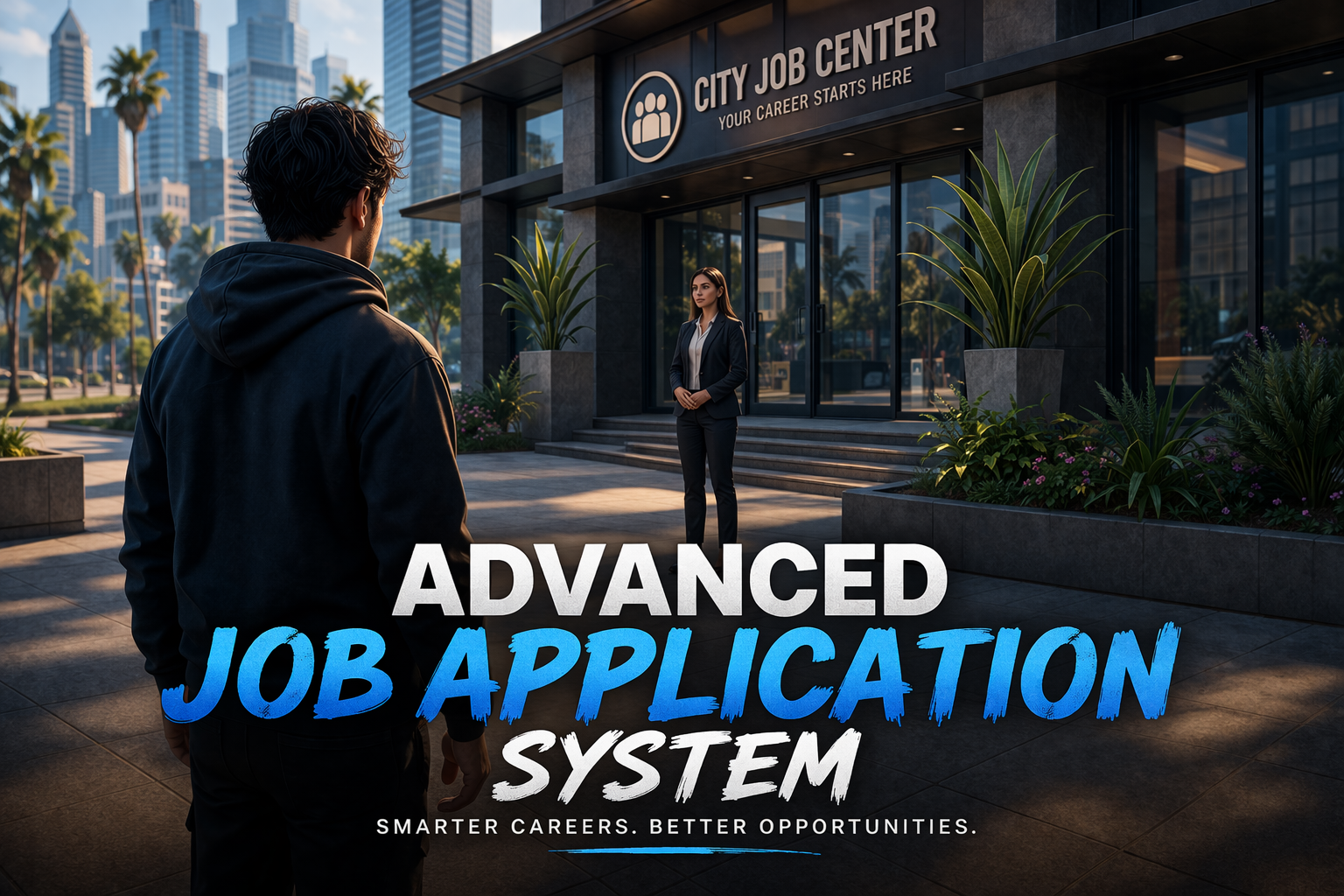
Advance job application system
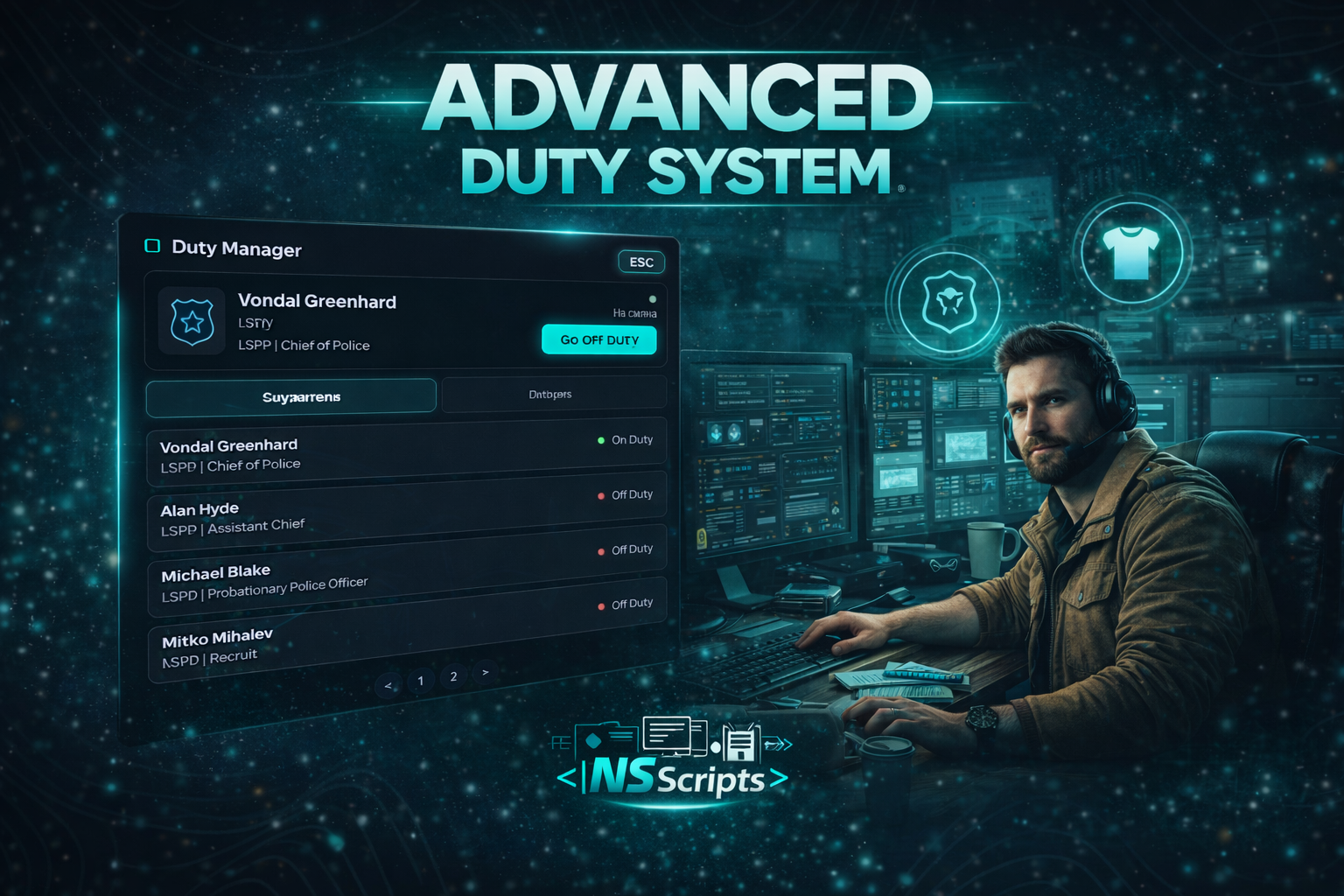
<div style="max-width:800px;margin:auto;font-family:'Segoe UI', Tahoma, sans-serif;color:#f5f7fa;line-height:1.6;"><h1 style="color:#ffffff;font-size:2.2rem;margin:0 0 15px 0;">Advanced Duty System</h1><p style="font-size:1.1rem;color:#c3cfdd;margin:0 0 30px 0;">A modern duty on/off system designed for both players and bosses. Enter and exit duty with a clean UI, while bosses can monitor who is on duty, track duty history and view employee status in real time.</p><hr style="border:none;border-top:1px solid #2f3b52;margin:30px 0;" /><h2 style="color:#00eaff;font-size:1.5rem;margin-bottom:20px;">Overview</h2><p style="font-size:1rem;color:#c3cfdd;margin-bottom:30px;">Advanced Duty System replaces basic duty commands with a clean and intuitive in-game interface. Players can easily clock in and out of duty, while bosses gain full visibility over staff activity. Bosses can see who is currently on duty, who is off duty, and review when employees entered or left duty. Everything is handled in-game without manual tracking.</p><h2 style="color:#00eaff;font-size:1.5rem;margin-bottom:20px;">Key Capabilities</h2><div style="margin-bottom:40px;"><div style="background:rgba(11,16,25,0.6);padding:15px 20px;border-left:3px solid #00eaff;margin-bottom:15px;"><h3 style="color:#ffffff;margin:0 0 5px 0;font-size:1.1rem;">Duty On / Off System</h3><p style="color:#c3cfdd;margin:0;font-size:0.95rem;">Players can enter and exit duty using a simple and intuitive UI. No commands required.</p></div><div style="background:rgba(11,16,25,0.6);padding:15px 20px;border-left:3px solid #00eaff;margin-bottom:15px;"><h3 style="color:#ffffff;margin:0 0 5px 0;font-size:1.1rem;">Live Duty Status</h3><p style="color:#c3cfdd;margin:0;font-size:0.95rem;">Bosses can instantly see which employees are currently on duty and which are off duty.</p></div><div style="background:rgba(11,16,25,0.6);padding:15px 20px;border-left:3px solid #00eaff;margin-bottom:15px;"><h3 style="color:#ffffff;margin:0 0 5px 0;font-size:1.1rem;">Duty Activity Tracking</h3><p style="color:#c3cfdd;margin:0;font-size:0.95rem;">Track when employees start and end their duty. Useful for staff control and activity monitoring.</p></div><div style="background:rgba(11,16,25,0.6);padding:15px 20px;border-left:3px solid #00eaff;"><h3 style="color:#ffffff;margin:0 0 5px 0;font-size:1.1rem;">Boss Overview Panel</h3><p style="color:#c3cfdd;margin:0;font-size:0.95rem;">A dedicated boss view showing duty status and history in a clean and organized interface.</p></div></div><div style="background:rgba(11,16,25,0.9);padding:20px;border:1px solid #2f3b52;"><h3 style="color:#ffffff;margin:0 0 15px 0;font-size:1.2rem;">Technical Requirements</h3><div><div><span style="color:#00eaff;font-size:0.9rem;">FRAMEWORKS</span> <span style="color:#c3cfdd;">QBCore, ESX, QBox</span></div><div><span style="color:#00eaff;font-size:0.9rem;">DEPENDENCIES</span> <span style="color:#c3cfdd;">ox_lib</span></div></div></div><hr style="border:none;border-top:1px solid #2f3b52;margin:40px 0;" /><div style="text-align:center;"><a href="https://discord.gg/gVMh5MfAWZ" style="min-width:260px;text-align:center;color:#ffffff;text-decoration:none;font-weight:600;border:1px solid #00eaff;padding:12px 20px;font-size:1rem;background:rgba(0,234,255,0.05);" target="_blank" rel="noreferrer noopener"> Join Community Discord </a></div></div>
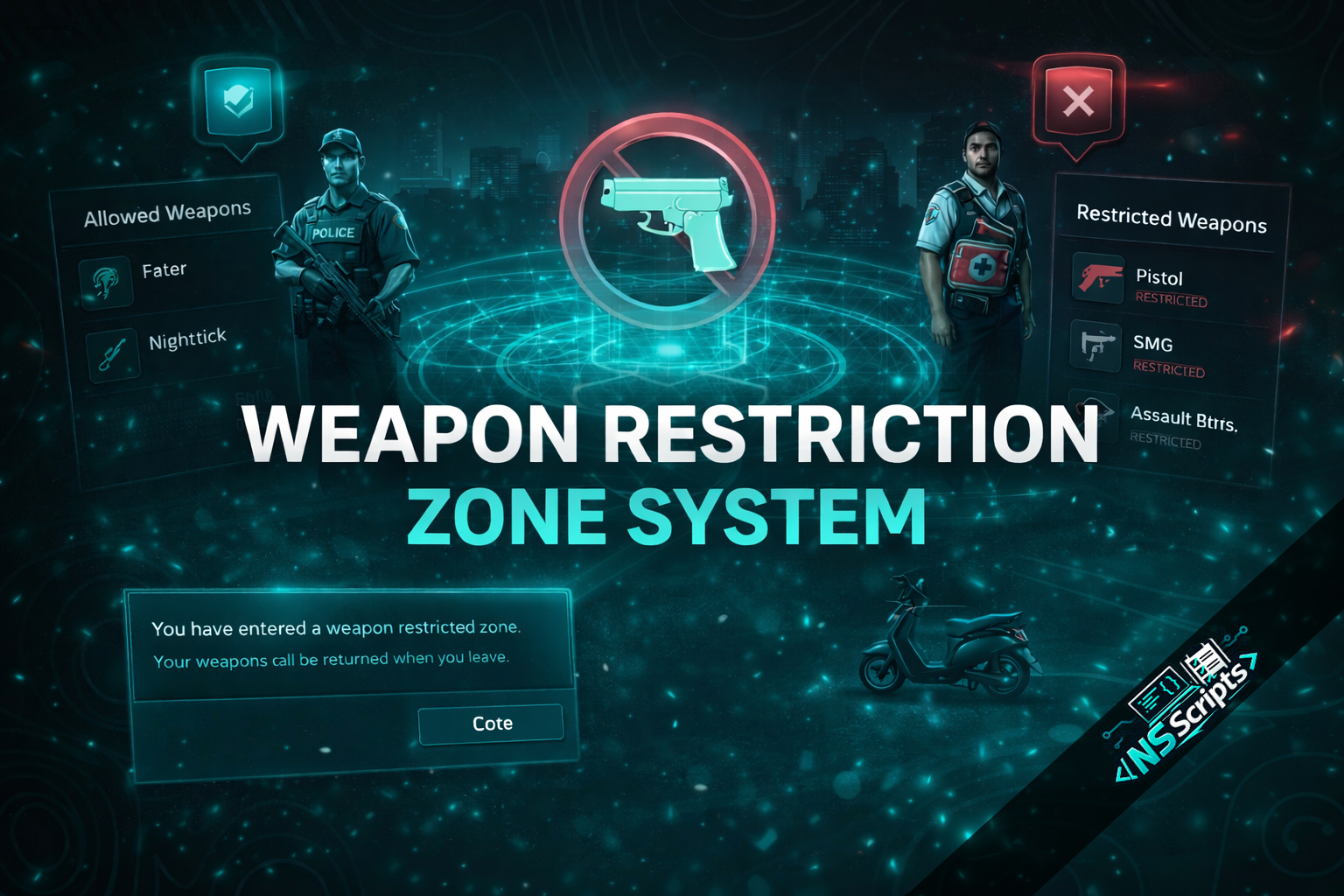
<div style="max-width:800px;margin:auto;font-family:'Segoe UI', Tahoma, sans-serif;color:#f5f7fa;line-height:1.6;"><h1 style="color:#ffffff;font-size:2rem;margin:0 0 10px 0;">Weapon Restriction Zone System</h1><p style="font-size:1.1rem;color:#c3cfdd;margin:0 0 25px 0;">A customizable solution for enforcing weapon restrictions in specific zones on <strong>QBCore</strong> servers. Highly configurable and easy to integrate.</p><hr style="border:none;border-top:1px solid #2f3b52;margin:25px 0;" /><h2 style="color:#00eaff;font-size:1.4rem;margin-bottom:20px;">Core Features</h2><ul style="list-style:none;padding:0;margin:0 0 30px 0;"><li style="margin-bottom:15px;padding-left:15px;border-left:3px solid #00eaff;"><span style="color:#c3cfdd;">Zone-Based Restrictions – Define areas with specific weapon limitations.</span></li><li style="margin-bottom:15px;padding-left:15px;border-left:3px solid #00eaff;"><span style="color:#c3cfdd;">Weapon Classification – Configure allowed (whitelist) and disallowed (blacklist) weapons.</span></li><li style="margin-bottom:15px;padding-left:15px;border-left:3px solid #00eaff;"><span style="color:#c3cfdd;">Job Exceptions – Allow police, EMS, or security jobs to bypass restrictions.</span></li><li style="margin-bottom:15px;padding-left:15px;border-left:3px solid #00eaff;"><span style="color:#c3cfdd;">Clear Player Notifications – Informative alerts when entering or leaving zones.</span></li><li style="margin-bottom:15px;padding-left:15px;border-left:3px solid #00eaff;"><span style="color:#c3cfdd;">Enforcement Options – Automatically remove weapons or prevent drawing.</span></li><li style="margin-bottom:15px;padding-left:15px;border-left:3px solid #00eaff;"><span style="color:#c3cfdd;">Highly Configurable – Easy to modify via config.lua.</span></li></ul><h2 style="color:#00eaff;font-size:1.4rem;margin-bottom:20px;">Configuration Options</h2><ul style="list-style:none;padding:0;margin:0 0 30px 0;"><li style="margin-bottom:10px;color:#c3cfdd;">• <strong>Zone Settings:</strong> Coordinates, radius, dimensions, blip options.</li><li style="margin-bottom:10px;color:#c3cfdd;">• <strong>Weapon Config:</strong> Blacklist/Whitelist modes, specific weapon classes.</li><li style="margin-bottom:10px;color:#c3cfdd;">• <strong>Notifications:</strong> Custom messages, warning delays, UI types.</li></ul><h2 style="color:#00eaff;font-size:1.4rem;margin-bottom:20px;">Use Cases</h2><div style="margin-bottom:30px;color:#c3cfdd;"><p style="margin-bottom:15px;"><strong style="color:#ffffff;">City Center Safe Zone:</strong><br />Create a weapon-free downtown area. Civilians automatically have weapons confiscated or holstered upon entry, while police remain armed.</p><p style="margin-bottom:15px;"><strong style="color:#ffffff;">VIP Nightclub / Casino:</strong><br />Allow only security staff to carry small sidearms. All larger weapons are restricted for guests.</p></div><hr style="border:none;border-top:1px solid #2f3b52;margin:30px 0;" /><div style="text-align:center;"><a href="https://discord.gg/gVMh5MfAWZ" style="color:#ffffff;text-decoration:none;font-weight:600;border:1px solid #00eaff;padding:12px 30px;font-size:1rem;background:rgba(0,234,255,0.1);" target="_blank" rel="noreferrer noopener"> Join our Discord </a></div></div>